


Blogs

quadraptor's picture

An FYI about Quad and love...

Just a little heads-up to all you young does looking for a mate and eyeballing Quad...

Sorry, but although his mate hasn't been around lately, he is the faithful type.

I know this seems like a mean topic to post up, but I've noticed a lot of 'love-at-first-sight' topics/comments going around on the community site, and also have noticed in-forest that some deer who Quad dances with and such seem to hang around him a little too close later on. There have been at least two does that were following his every move and stuff when I was trying to take screenshots.

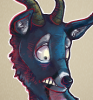
Long story short, I know there are does that like big, fat, goofy deer like this:


...but he is taken. Please look for someone else to be your mate. Eye

Oh by the way, Mazey (Quad's mate) did mention that she's gotten her TEF fixed, so she said she plans to pop in the Forest some more.

And Quad will be waiting for her at the Crying Idol.
Willet's picture

I am home..Im all alone

Hear I am...My Family no longer wants me...I love them though and
Tenley's picture

Hey people, good news! Any requests??

OKAY! Everyone who want me to draw them a picture raise there hands! I am going to draw you people requested pictures and have them posted on here. Im really good, and i can draw anything you want me to.(Not so good on human anatomy). So give me something to do, people! I can really post drawings this time! Im bored right now so im in the drawing mood. Give me something to do, peoples!


Requests so far:

-terabetha-jorogumo.

-quadraptor-nekumbra.

-seed-seed.

-minimuh-no name.

-kittyo8-sokonei.

Guidelines: On Writing, roleplaying, and basic concepts

{The author of this blog is originally the player Bylah. This was re-posted by request, since it's such a valuable community resource and we didn't want it lost.}
Sonata's picture

Let's tie roses to the gallows

And we'll all cry tears of jewels

A pretty death for a pretty fool, is that what you want?

And we'll burn your body on a pyre of sandalwood and branches from the sea.
Pretty blue flames.
z.m123's picture

"I'm not afraid"

-Read more-
Ruscion's picture

~ From the ashes


My right hand holds matches,
my left holds my past,
I hope the wind catches,
and burns it down fast,
I'm gonna step into the fire,
with my failures and my shame,
and wave good-bye to yesterday,
as I dance among the flames.

So don't try to save me now,
let the walls of my world all burn down,
just stand back and wait till the smoke finally passes,
and I will rise;
from the ashes
from the ashes
from the ashes

For all that I'm losing, much more will I gain,
the hard part is choosing,
to change what needs changed,
and my step will be much lighter,
with these demons off my chest,
I'm born a better spirit,
and lay the old to rest.

So don't try to save me now,
let the walls of my world all burn down,
just stand back and wait till the smoke finally passes,
and i will rise;
from the ashes
from the ashes
from the ashes

And I'll walk away stronger,
I will be flyin,
higher and truer
than I've flown before.

My right hand holds matches,
my left holds my past,
I hope the wind catches,
and burns it down fast.

[Originally by TaniDaReal]

Need Help?

Just posting this because it seems that a few newcomers are having problems finding and taking screenshots. Hopefully this will help ^^
*reposted from my old account Vira because lots of people seem to be having problems. And its just so darn helpful x3


S C R E E N S H O T S
Once you have been in-game and pressed the 'P' button while playing to take a screenshot, here is how to get to it.

Step 1.
Open your start menu and click on the icon that says 'My Computer'

Step 2.
Open the icon that says Local Disc (C:)
Once this is open click on the 'Program Files' folder

Step 3.
At the bottom of the Program Files folder there will be another folder that says 'Tale of Tales'
Inside of this folder will be another that says 'The Endless Forest 3'
Open it

Step 4.
Now that you are in this folder there will be others titled '3rd', 'channels', 'engine', 'userdata' {for spelldata later on}, 'Cache', 'data', and finnaly 'screenshots'.
By opening the screenshots folder you will find all the pictures that you took by pressing 'P' while in the forest.


------------------------
For Vista Users:

Step 1.
Open your start menu and click open on the 'all programs'

Step 2.
click once on the 'The Endless Forest 3' so the subcategories show, among them 'screenshots' Click it.

Step 3.
A window opens, and it says 'This folder is empty.' but above it, in between the addres bar and the empty folder is 'Combatility files', and it must be clicked. There will be all the screenshots.

{Thanks goes to Innisen for the Vista Steps}


Please Note* If you have more than one deer the pictures will be in A-Z order.


F L Y I N G[=9]
The trick to 'flying' is by standing atop a hill of any kind, it dosn't have to be to tall.
Ruscion's picture

~ Making new friends

Ruscion had fun playing with a little fawn yesterday. Would like to know who you are, though :3


Who are you, guys?


After a while, they jumped into a deer, and tried to impress him/her with fancy dancemoves :3


Suddenly he found a fawn with almost exactly same picto as his own :3

Syndicate content