8.17.16
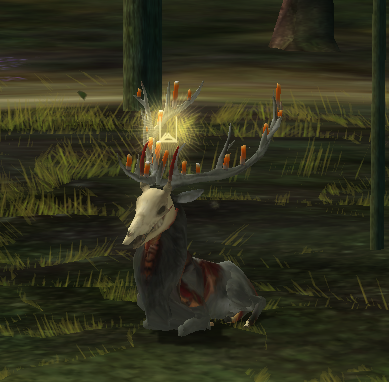
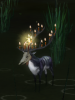
I was very sleepy this morning, but got up to find shade since the sun was bothering me. Found a nice shady spot under a slanted rock (that I BRAVELY climbed yesterday >;-] ) and relaxed for a while until someone approached me. His name was Comen, I think? He climbed up all the rocks with me and then we ran around in the flowers and jumped over the rocks and skipped through the forest and I tripped over a rock but I'm fine!! I just got a bunch of dirt up my nose hehe
There's this place FULL of blue flowers, but they're so tall I had to jump to see where I was going!!! I'm kind of tired, but today has been so fun.
8.16.16
Happy to be back in the forest! I must've been asleep for quite some time...
I climbed up a bunch of rocks, like really big ones. The tallest rocks in the forest. Probably the tallest rocks in the world, not kidding.
October 18, 2015 - 5:23am — coyote
I've been playing with this user named AyaMyE all day, but I have no way of contacting them directly on here.. Is there any way to message them?
October 17, 2015 - 10:33pm — LostInANightmare
(Why hasn't anyone replied yet ;_;?)
Okay, I'm just guessing this is where this goes.
Well, anyway, I'm getting an error whenever I try to open The Endless Forest while running as admin . I can't not run as admin because as most people know, if you run it without admin, it will be a different language, broken, and stuff.
Here's the pic:

I have tried reinstalling my game. (At the risk of deleting my pictures because I had too many pictures {over 2,000 :P} and it was taking up space :c .)
I'm not sure if anyone has ever had this error before, but if anyone can help, I would very much appreciate it. I can't play without this solved.
October 17, 2015 - 11:05am — takayama

this box is "#top"
title
- Blaa blaa
: text
- Blaa blaa
: text
- Blaa blaa
: text
hover here Hover text. Wow.
Such wonder.
This is box is "#left"
- All these divs stretch height-wise, their widths are set with %'s.
- If you want to change radius of #around, you need to change radiuses of #top and #bottom, too. Otherwise the result might look quite strange.
- Styling for hovers are separate from other style-codes
- this is "h4".
This box is "#right"
Lorem ipsum dolor sit amet, consectetur adipiscing elit. Aenean in efficitur ligula, et porta erat. Proin vel bibendum ligula. Fusce in dolor condimentum, varius libero sit amet, vestibulum arcu. In sapien dolor, luctus ultricies laoreet sed, finibus vitae eros. Vestibulum vel metus facilisis, laoreet tortor non, dapibus diam. Phasellus egestas neque lobortis, laoreet massa a, mollis nisl. Proin nec ligula et augue eleifend vestibulum. Sed rhoncus orci sed varius porta. Curabitur quis lorem malesuada, elementum mauris vitae, commodo mi. Vivamus ultrices enim eget leo aliquet, id ullamcorper augue sodales. Class aptent taciti sociosqu ad litora torquent per conubia nostra, per inceptos himenaeos. This box is "#middle"
Lorem ipsum dolor sit amet, consectetur adipiscing elit. Aenean in efficitur ligula, et porta erat. Proin vel bibendum ligula. Fusce in dolor condimentum, varius libero sit amet, vestibulum arcu. In sapien dolor, luctus ultricies laoreet sed, finibus vitae eros. Vestibulum vel metus facilisis, laoreet tortor non, dapibus diam. Phasellus egestas neque lobortis, laoreet massa a, mollis nisl. Proin nec ligula et augue eleifend vestibulum. Sed rhoncus orci sed varius porta.
October 17, 2015 - 5:31am — Laryal
Hello i am hoping that Chevyo and i will be back into the game by Christmas or sooner.I had to buy a new computer about four or less months ago. I was and still am unsure if The Endless Forest will work on my Acer with me having my Sims3 on there as well. I guess you guys never thought you would see Chevyo again.
October 16, 2015 - 5:24pm — Naamloos
Sorry to bother again. After reinstalling TEF I ended up with a resolution that was way too small for my monitor, so I went to set it higher and was like whatever, I'll pick the highest one. Turns out that was a bad idea, whenever I start up TEF now I get a black screen with "cannot display video output, change to *resolution* at 60 Hz" moving across it. It will only go away when I press the power button of my PC, not even CTRL+ALT+Del will help. :S Does someone know how and where in the game files of TEF I can manually set the resolution different? I already tried reinstalling, this wouldn't help.
|